Secrets
Secrets provide secure storage and management of sensitive information such as API keys, passwords, tokens, and certificates. These are essential for protecting access to external services, databases, and internal systems.
What Are Secrets?
Secrets in Chariot allow you to securely store sensitive data that your models, Training Runs, and other processes need to access external resources. By using Secrets, you avoid hardcoding sensitive information in your code or configuration files.
Secrets in Chariot are associated with, and owned by, either a project or an organization. At the moment, all Secrets created via the Chariot user interface are project-level Secrets.
Creating Secrets
Secrets can be scoped to an organization, a project, or an individual user.
To create a Secret for a project:
- Navigate to a project of your choice and click the Secrets tab.
- Click +Add Secret.
- Follow the wizard to create a Secret.
Users who have Read access to this project will be able to view the Secret's existence but not the values. Users with Write and Owner permission can create Secrets, view the Secret values themselves, and modify the values for the Secret. For more on permissions, see Roles & Permissions.
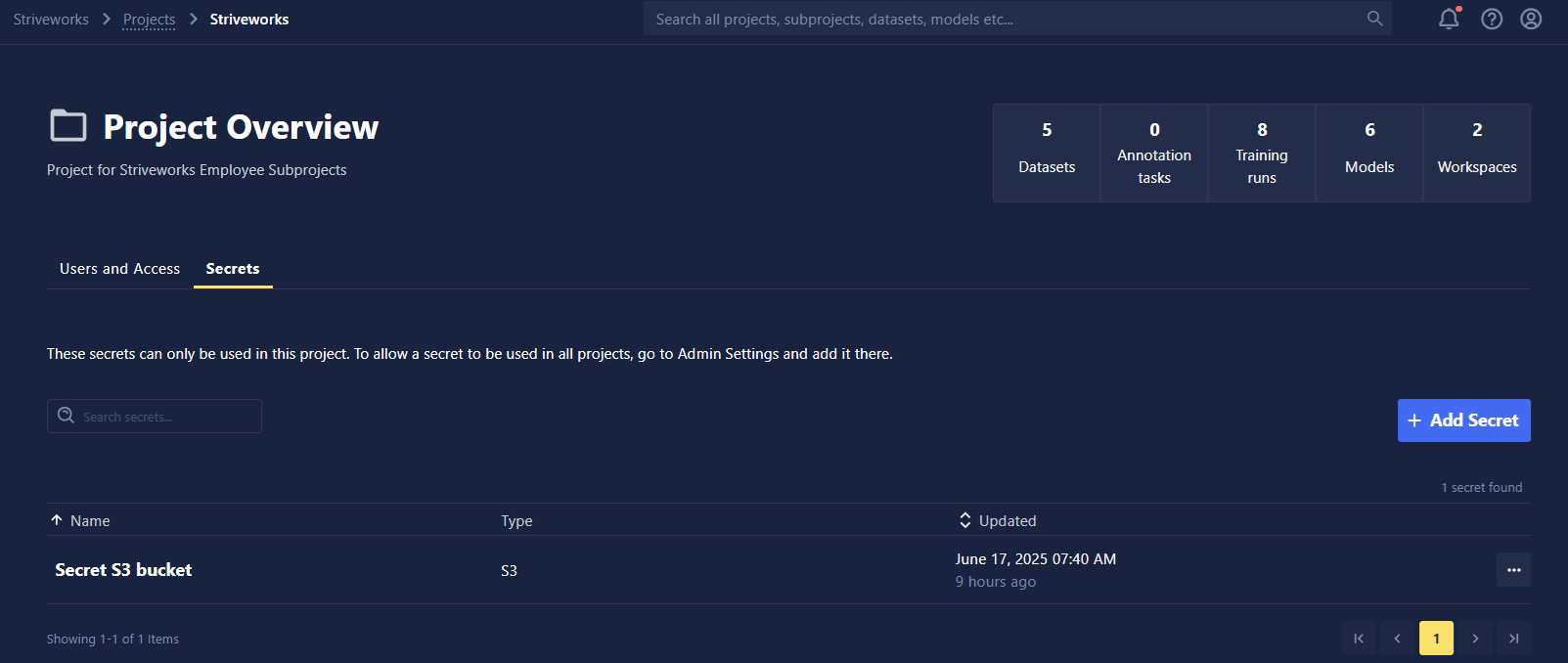
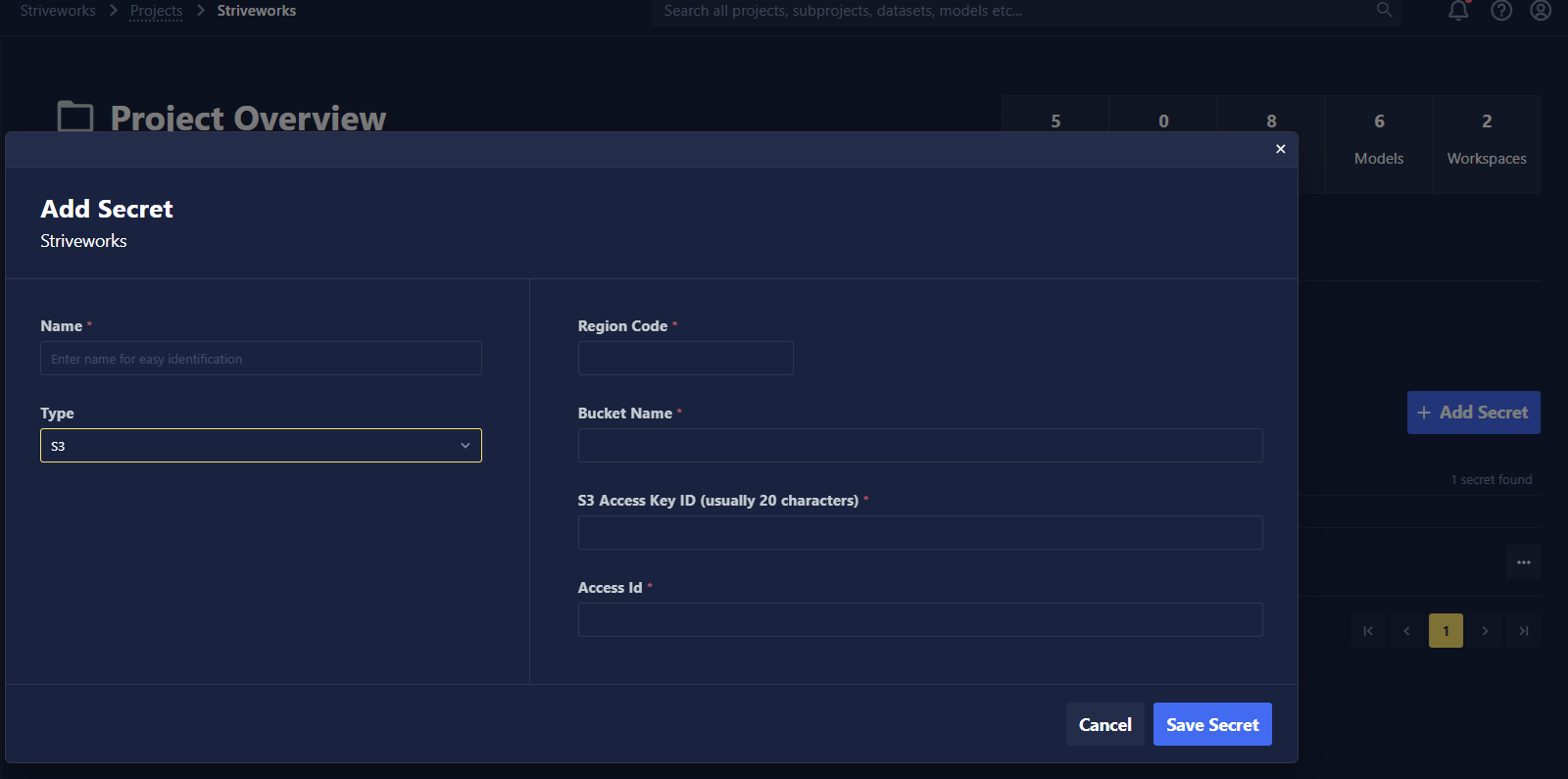
To create a Secret that is private to you, navigate to the Secrets tab of your user profile, and follow the same procedure as above.
Types of Secrets
- Single Variable: For individual values like API keys, passwords, tokens, etc.
- S3 Connection: For AWS S3 access credentials.
- Container Registry: Specifies a registry server and a valid username and password.
- An example of how to use Container Registry Secrets with Training Blueprints can be found here.
Accessing Secrets Using the SDK
To programmatically access Secrets using the SDK, use the get_settings function in the chariot.identity module. This function has the following parameters:
- owner_type: The scope of the Secrets(s) you are getting. Valid values are
organization,projectanduser. - owner_id: The ID of the owner of the Secret(s) (e.g. organization ID, project ID, or user ID).
- path: A prefix-like search path to filter matching Secrets.
- decrypt: Whether to decrypt Secret values returned. Secret values are only decrypted if you have permission to read that Secret.
Accessing s3 Secrets
The following will retrieve all s3 Secrets scoped to a particular project:
from chariot.identity import get_settings
from chariot.client import connect
connect()

get_settings(
    owner_type="project",
    owner_id="<my-project-id>",
    path="connect/S3",
    decrypt=True,
)
Accessing Custom Secrets
The following will retrieve all Custom Secrets scoped to a particular project:
from chariot.identity import get_settings
from chariot.client import connect
connect()

get_settings(
    owner_type="project",
    owner_id="<my-project-id>",
    path="secret/Custom",
    decrypt=True,
)
Accessing a Single Secret
If you wish to access a single named Secret using the SDK, specify that Secret's full path so that get_settings only returns a single Secret. You can find a Secret's full path by navigating to the Secret in the UI and clicking Copy ID.
from chariot.identity import get_settings
from chariot.client import connect
connect()

secret_id_copied_from_ui = "project/<my-project-id>/connect/S3/<secret-id>"

get_settings(*secret_id_copied_from_ui.split("/", 2), decrypt=True)

# Or more explicitly:

get_settings(
    owner_type="project",
    owner_id="<my-project-id>",
    path="connect/S3/<secret-id>",
    decrypt=True
)
Best Practices
- Use Secrets for all sensitive data.
- Rotate Secrets regularly.
- Remove unused Secrets.