Monitoring a Training Run
The status, checkpoints, and metrics of a Training Run can be retrieved through the UI or SDK.
- UI
- SDK
Within a project, the Training Runs page lists all Training Runs associated with that project, along with details about their status and any actions that can be accomplished with that Training Run.
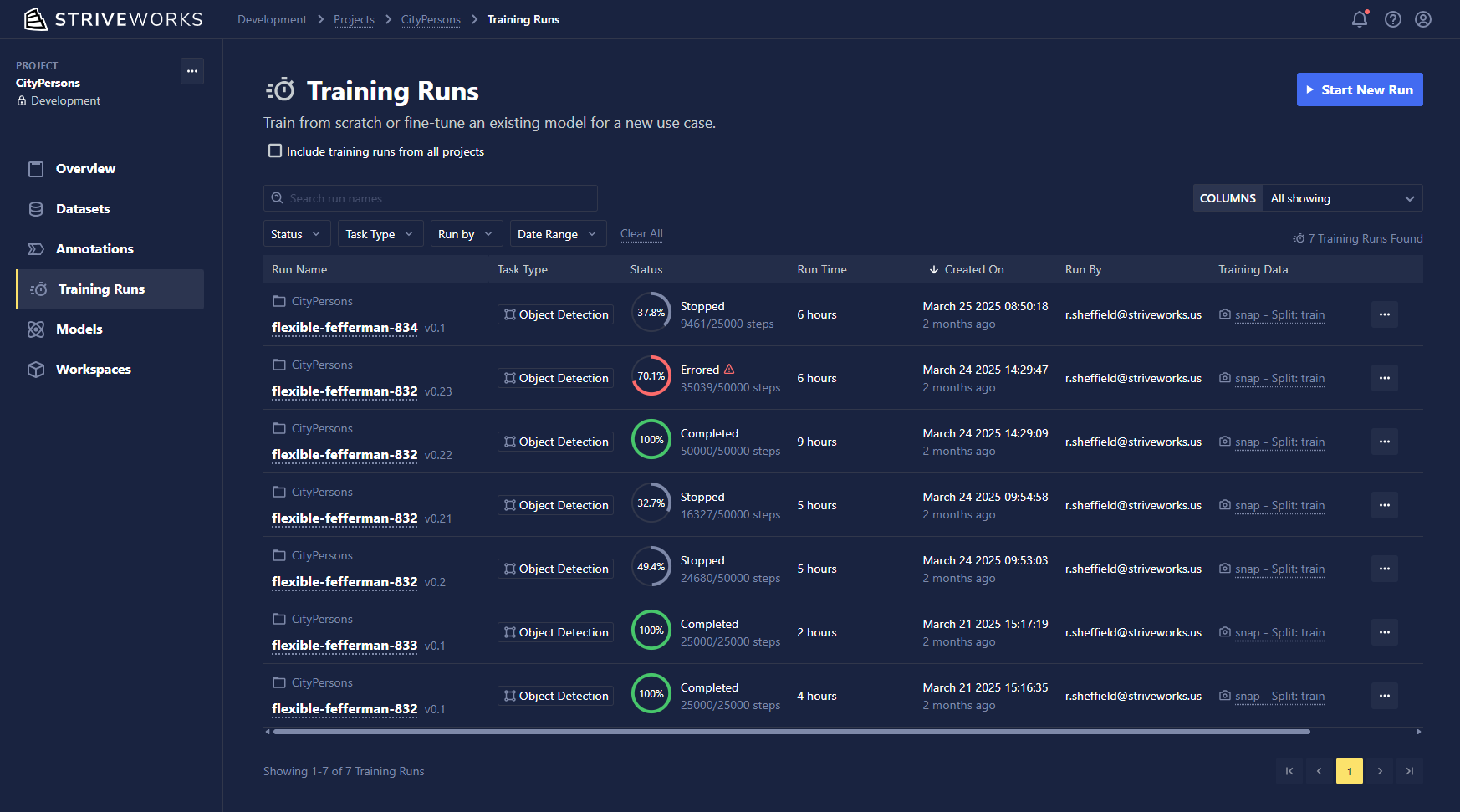
Click on the run name for detailed information about your Training Run, including the tabs below.
An existing run and its status can be retrieved via:
from chariot.training_v2 import Run

# singular check
run = Run.from_id(run_id=run_id)
print(run.status)
print(run.get_events()[0])

# poll status with reload
while True:
   run.reload()
   print(run.status)
   print(run.get_events()[0])

'''
Example output:
run_created
Event(id='2aV6nrv2f4lSLl1upjn3lnktlxr', sequence=9012, run_id='2aV6Qg2CuryJPsSk8sn0NfPqziU', created_at=datetime.datetime(2024, 1, 4, 13, 6, 6), status='job_completed', details={}),
'''
Details
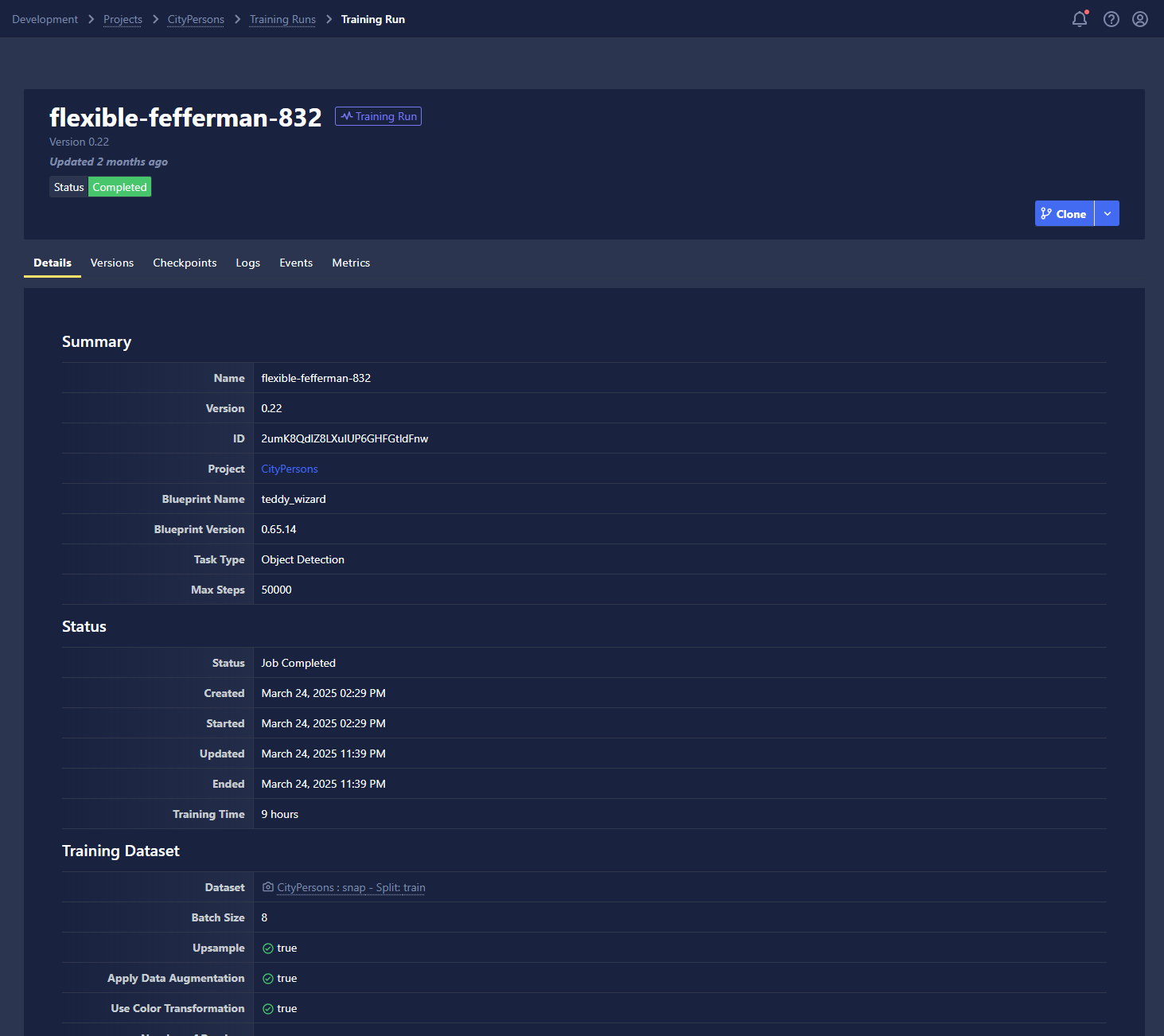
The Details tab summarizes key aspects of your Training Run, including its status, selected settings, and information associated with the dataset you choose to train on.
Logs
The Logs tab provides access to two types of logging information from your Training Runs: container logs and pod events.
Container Logs
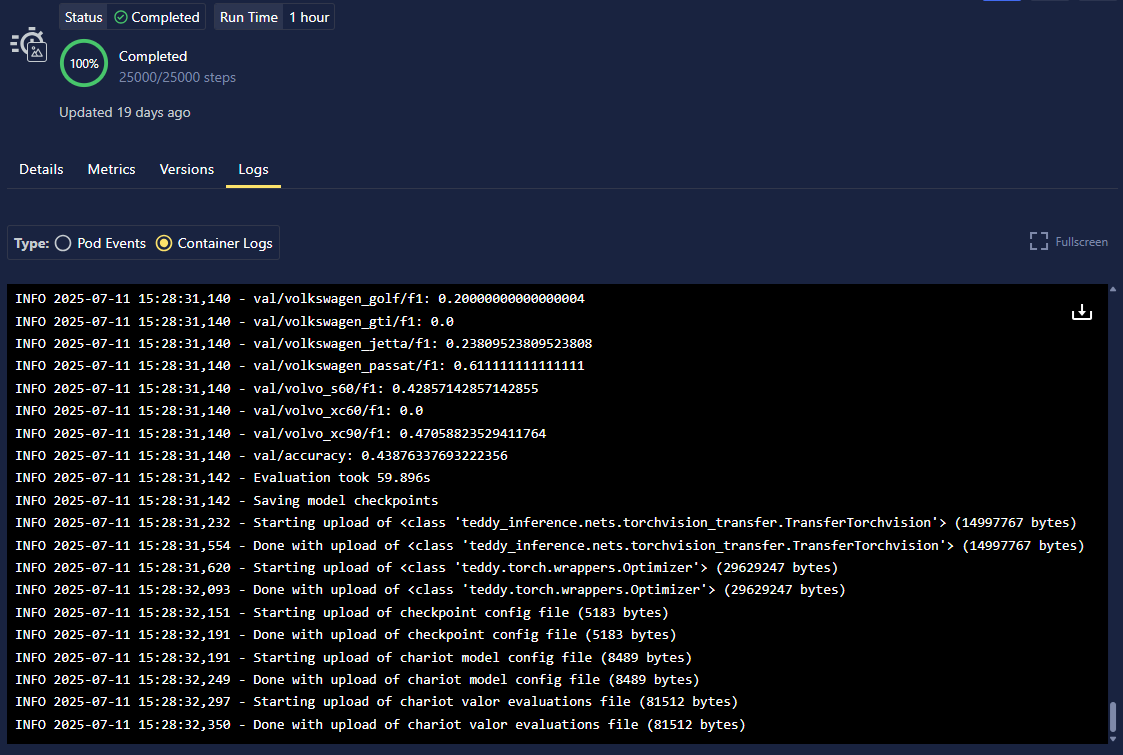
Container logs show output directly from your Training Run container, including your application logs, print statements, and any error messages from your training code.
Select the Container Logs radio button to view logs from the training container.
Pod Events
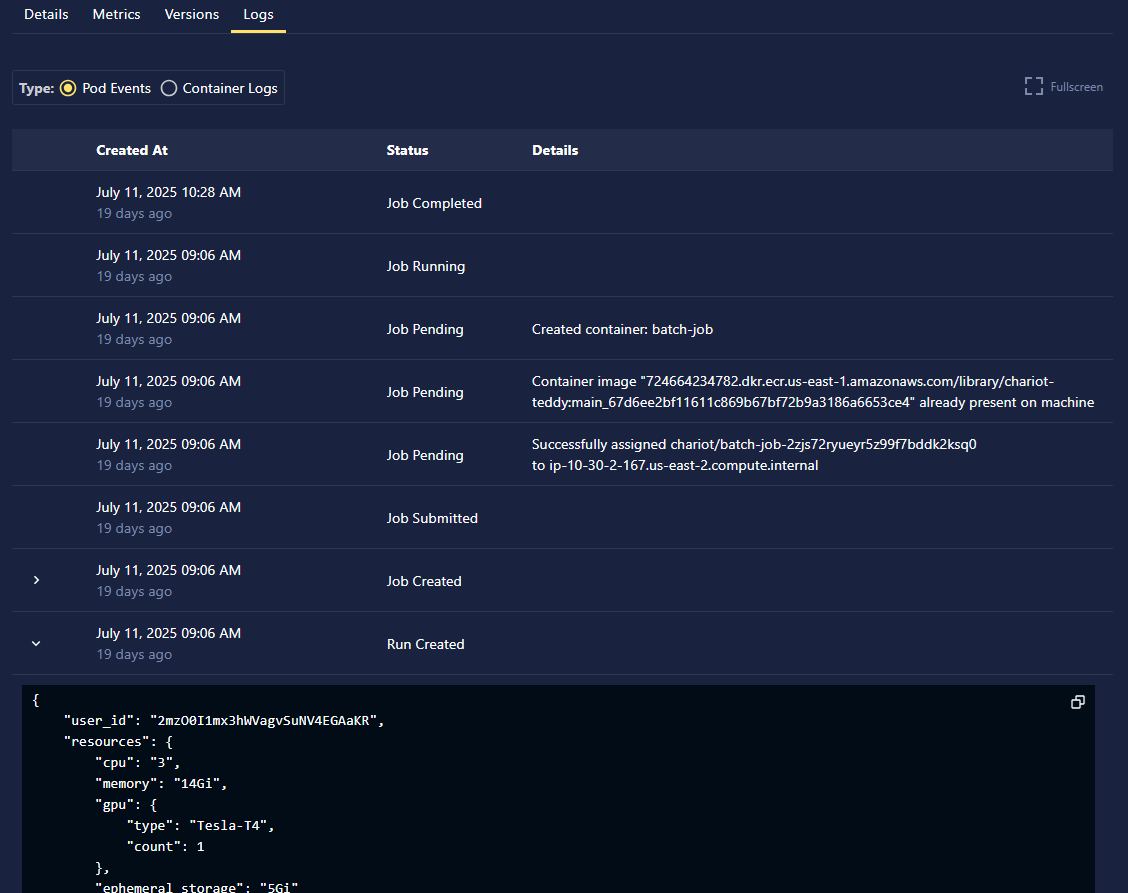
Pod events provide infrastructure-level logs from the Kubernetes system that schedules and manages your training containers. These logs are useful for troubleshooting deployment and resource issues.
- UI
- SDK
Select the Pod Events radio button to view infrastructure logs from Kubernetes.
Retrieve pod events using the SDK:
from chariot.training_v2 import Run

run = Run.from_id(run_id=run_id)
print(run.get_events()[0])
Metrics
- UI
- SDK
This tab displays plots from metrics that get recorded during training, such as the training loss and validation accuracies. You can also view the performance of your model at different checkpoints within this tab. When you have a checkpoint that has the desired performance of your model, you can export the checkpoint to the Model Catalog.
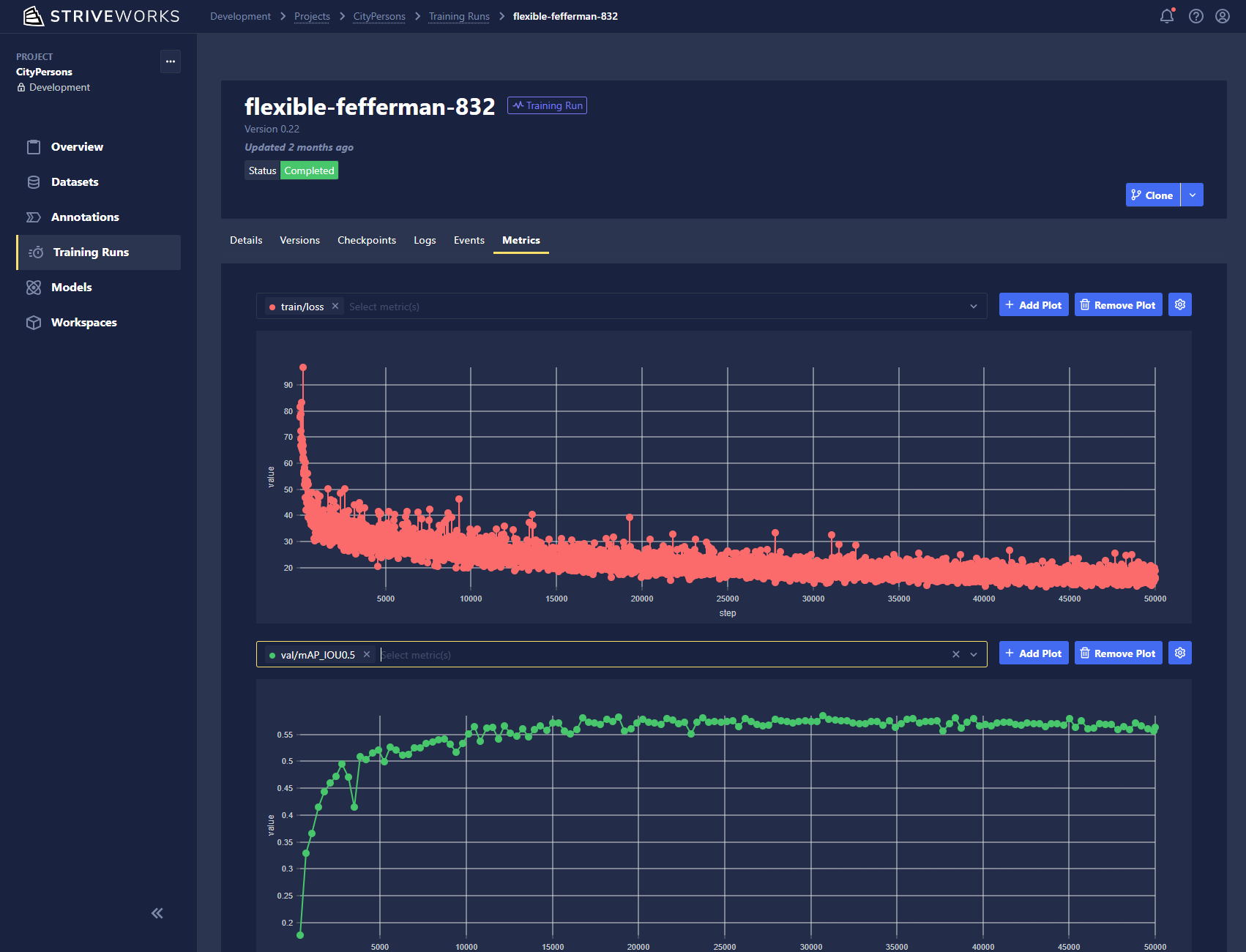
Metrics can be retrieved from the SDK via:
from chariot.training_v2 import Run

#Assumes `run` is the training_v2 Run class imported from above.
metrics = run.get_metrics()
print(metrics)

'''
Example output:
[Metric(id='2aV6m2Vk7IIcauG8LOKZuySkNTy', created_at=datetime.datetime(2024, 1, 4, 13, 5, 54, 379000), run_id='2aV6Qg2CuryJPsSk8sn0NfPqziU', global_step=10, tag='val/class_building/f1', value=0)]'''