Exporting a Checkpoint
Checkpoints
- UI
- SDK
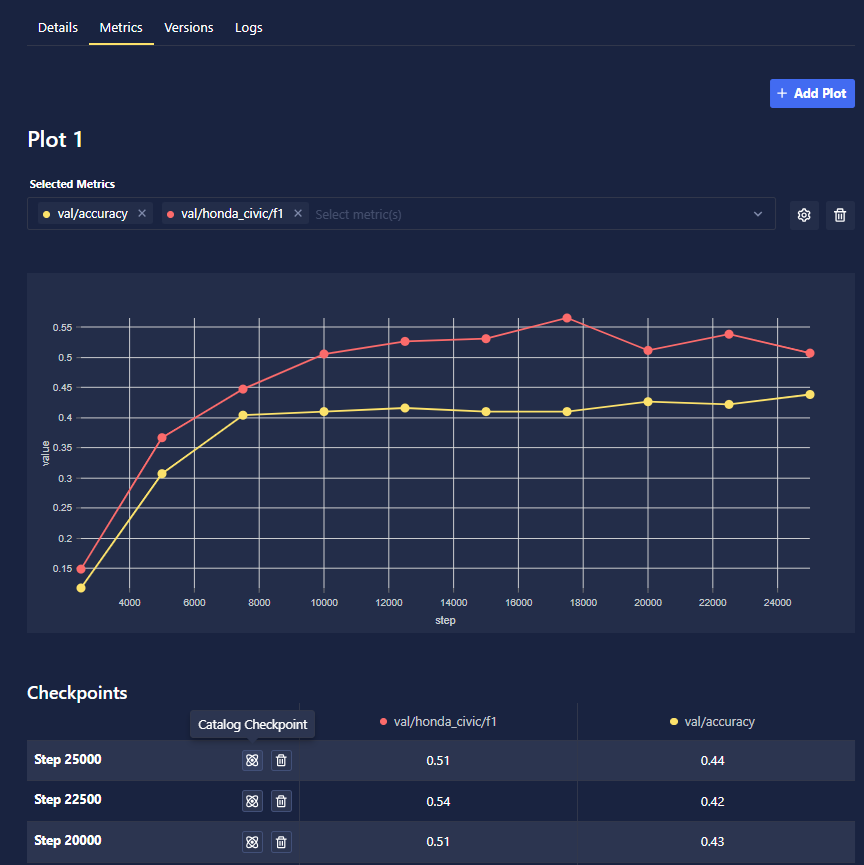
As your Training Run progresses, Chariot saves the model periodically based on the checkpoint frequency that you specified when setting up the run. The checkpoints table, found via the Metrics tab, lists those checkpoints for your Training Run. Click on the Catalog Checkpoint button to export them directly into the Model Catalog feature. Checkpoints may also be removed by clicking the Delete Checkpoint button.
Given the run_id, you can retrieve checkpoint information via:
from chariot.training_v2 import get_checkpoints

checkpoints = get_checkpoints(run_ids=[run_id])
print(checkpoints)

'''
Example output:
[Checkpoint(id='2aV6iX2usTLfLfA1SMrlBjCSIql', run_id='2aV6Qg2CuryJPsSk8sn0NfPqziU', global_step=10, project_id='2ZC3RlYNMkOPK8FppryaWlIqCDI', created_at=datetime.datetime(2024, 1, 4, 13, 5, 26, 260000), status='complete', status_updated_at=datetime.datetime(2024, 1, 4, 13, 6, 1, 559000))]
'''