Importing Models
Chariot supports importing models so they can be served by an Inference Engine. A model is a set of files (such as weights, configuration, and class labels), and the Inference Engine you associate with it determines how those files are loaded and served.
Once a model is uploaded to Chariot, you can associate it with a new or existing Inference Engine. To learn what files a given Inference Engine requires, see that Inference Engine's documentation.
Importing via UI
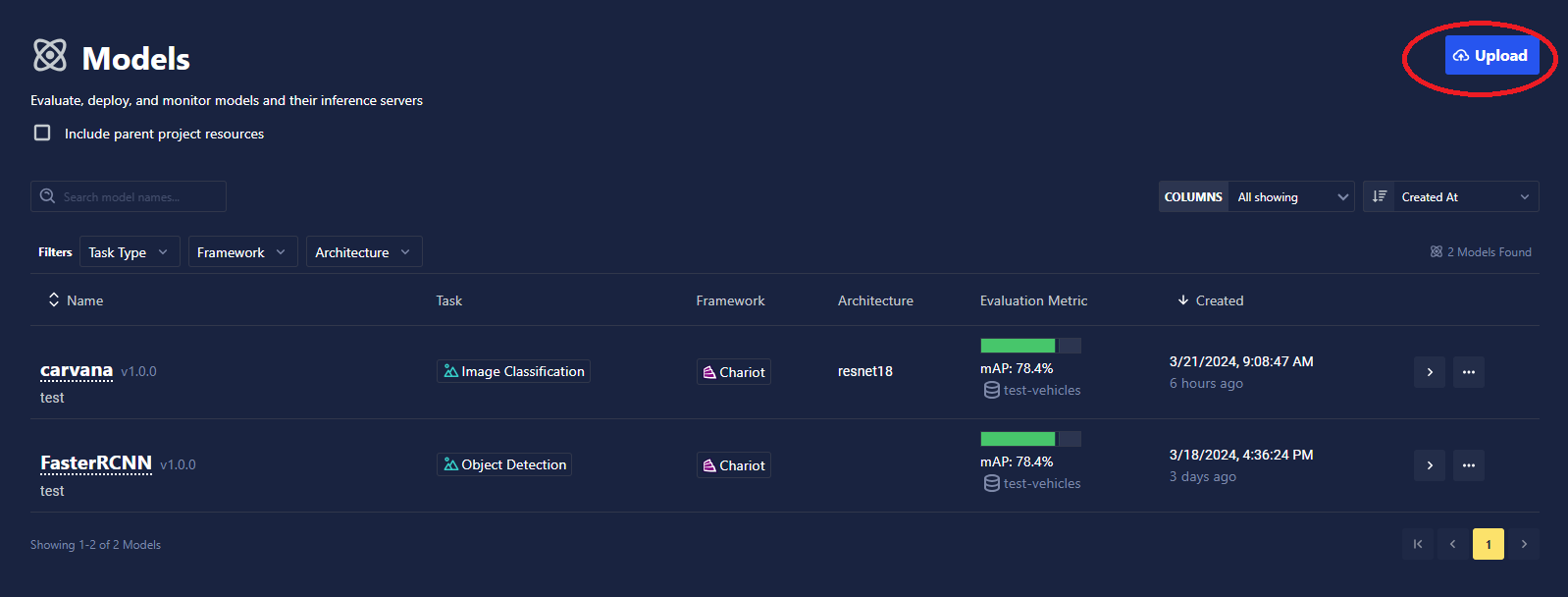
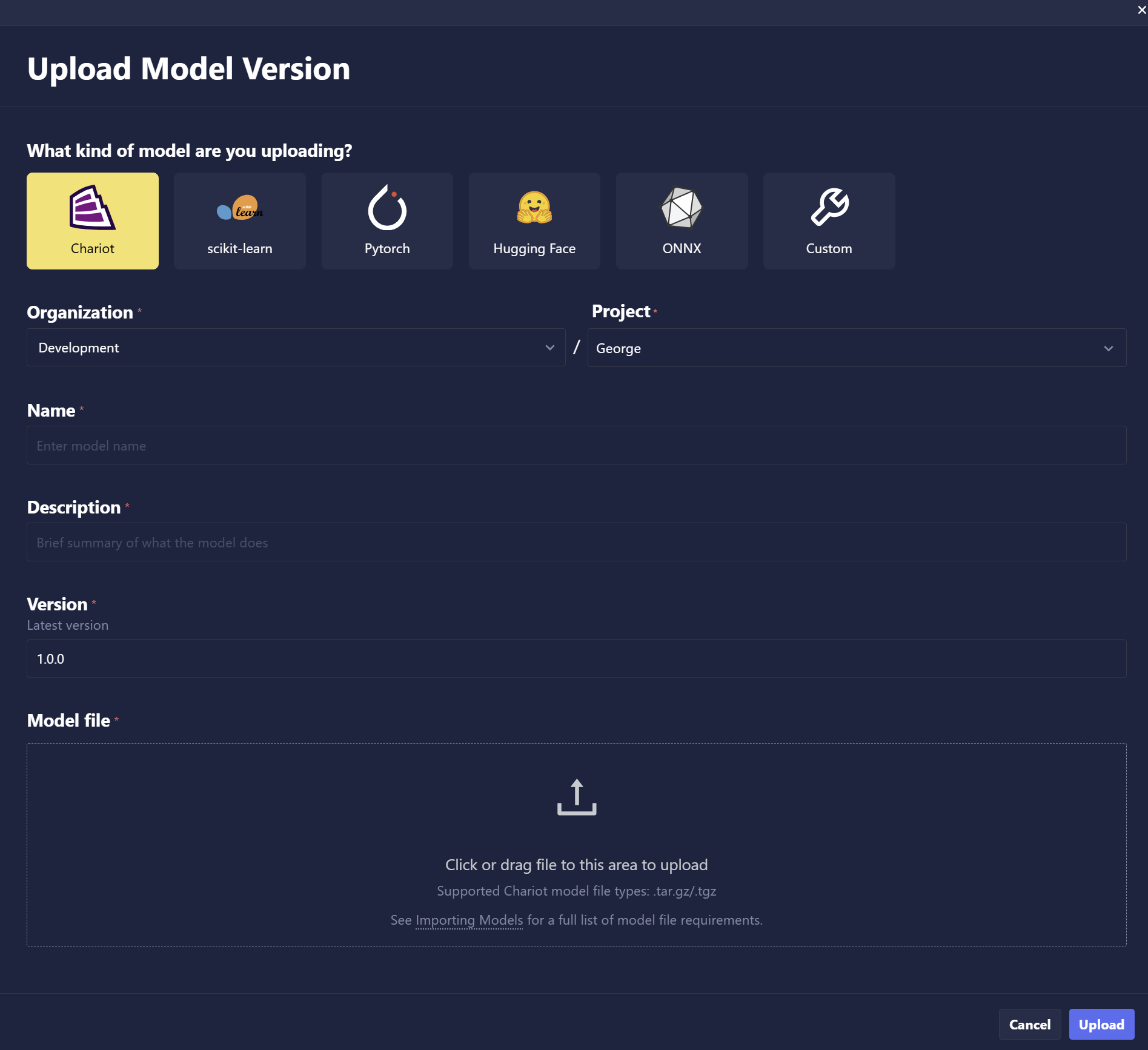
To import a model using the Chariot UI, click the Upload Model button on the Models page.
Select whether you would like to upload a .zip file from your local machine or import a model from Hugging Face.
The .zip or .tar.gz (for SDK upload) should contain all files needed to run your model. This might include model weights, any supplementary configuration files, class labels files, etc. Your custom engine will use all of these files to serve the model.
If uploading a model that was previously exported from Chariot, fields such as name, task type, etc. should auto-populate.
Packaging and Importing via the SDK
To import a model using the SDK, specify the parameters needed to register your model in the catalog when calling chariot.models.import_model. The model files are uploaded as a .zip or .tar.gz archive (or a directory, which the SDK archives for you).
from chariot.client import connect
from chariot.models import import_model, TaskType

connect()

model = import_model(
    name="<NAME OF MODEL>",
    # one of `project_id` or `project_name` is required
    project_id="<PROJECT ID>",
    version="1.0.0",
    summary="Imported model",
    task_type=TaskType.OBJECT_DETECTION,
    model_path="/path/to/model.zip",
    class_labels={"cat": 0, "dog": 1},  # required for some task types
)
After importing, associate the model with an Inference Engine so it can be served. See Inference Engines for how to attach an engine, including the import_model_with_engine helper that uploads a model and associates an engine in a single call.
To import directly from the Hugging Face Hub, see Hugging Face Models.