Exporting a Model
Just as Chariot can ingest models from the outside world, it is important to be able to export models out of Chariot (for example, if you would like to put a Chariot-trained model on an edge device).
Export Options
Select the Download icon, found either on a model's Model History tab or on the top of the Model page. A list of supported export formats will be provided. Click on the Download button that corresponds to your intended export format, and a .zip file will download.
Additionally, you can use the Files tab to view all files that constitute the model object and to download individual files.
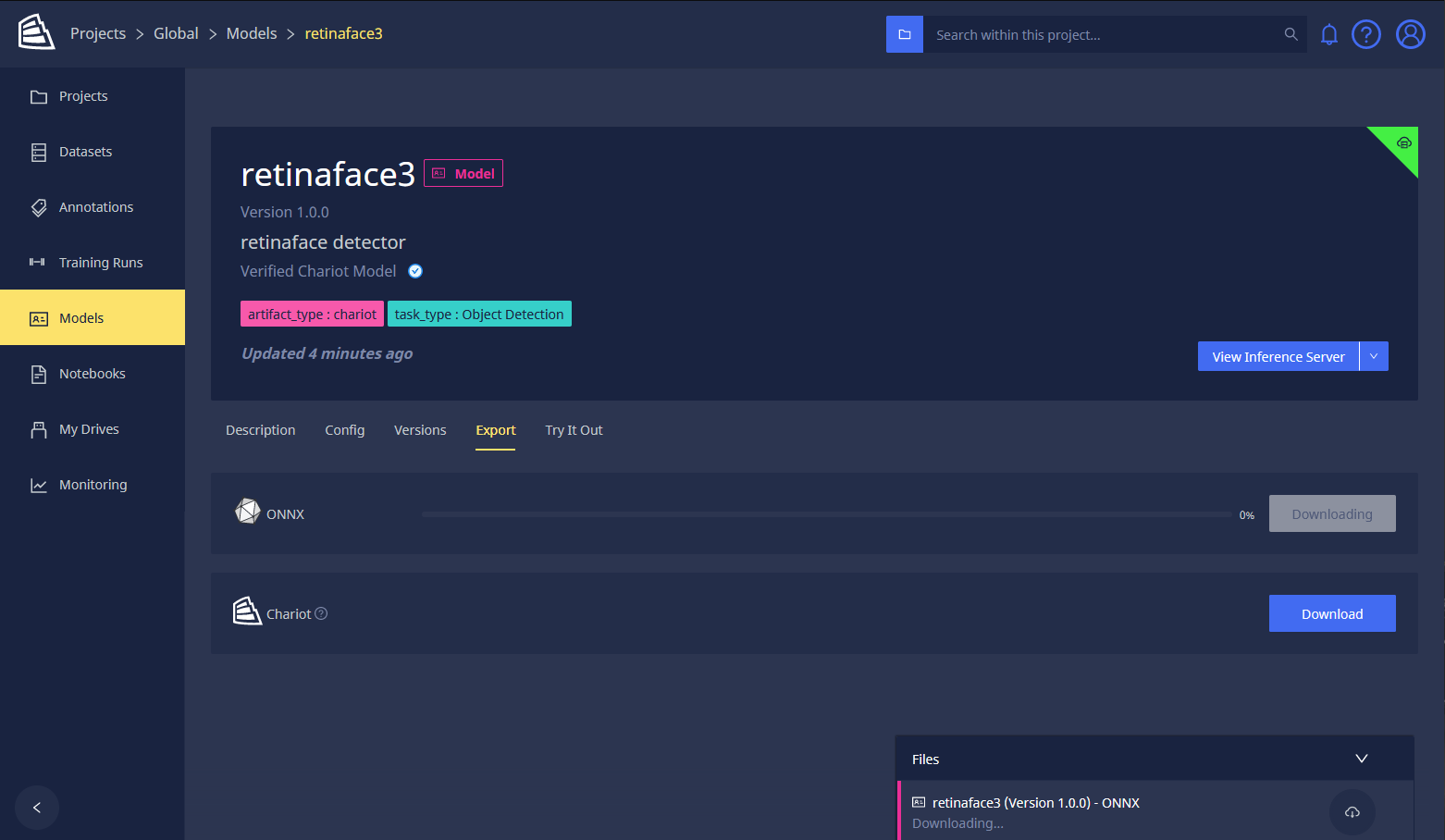
Resumable Downloads
Resumable downloads are supported through the browser or the API. Browser support for resumable downloads can be found in the browser's Download Manager. Once you are on the Download Manager page, you can resume the download of the model. API support for resuming a download requires you to send the Range request header in the resume request.
Running an Exported Teddy Blueprint Model Locally
The following steps demonstrate how to run a model that came from a Teddy blueprint locally. For other models, please refer to the official documentation on their respective framework websites for guidance on running those models outside of Chariot.
- Unarchive this into a folder that will contain the model weights (as a PyTorch binary), as well as a configuration file that contains preprocessing and postprocessing information (such as image resize, pixelwise normalization, and conversion from output integers to class label strings).
mkdir mymodel
unzip model.zip -d mymodel
We recommend that you use a virtual environment for package isolation:
virtualenv teddyenv
source teddyenv/bin/activate
- Install our Teddy-inference wheel available from this instance of Chariot. You also need the FastAPI web server.
pip install https://%%CHARIOT-HOST%%/docs/static/teddy_inference-0-py3-none-any.whl

pip install fastapi[all]==0.71.0
- Start the Inference Server.
MODEL_PATH=mymodel uvicorn teddy_inference.api:app --host 0.0.0.0 --port 8000
- To execute an inference, you can navigate to
http://localhost:8000in a web browser, click Try it out and then Choose File to upload an image. Then, click Execute and scroll down to see the response.
Alternatively, you can run the following command in the command line:
curl localhost:8000/predict -F img=@/PATH/TO/IMAGE/FILE